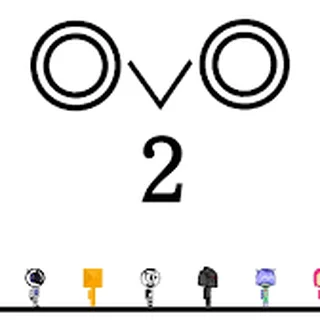
Run 2 Unblocked — Play Free Online
More Runners & Driving games

Run 2 unblocked: play Run 2 online free right here in your browser — no download, no sign-up, works on a school Chromebook.
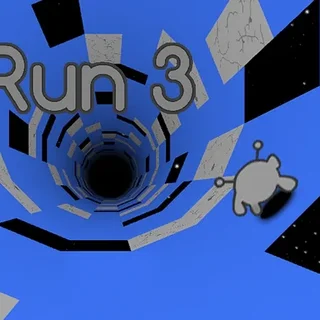
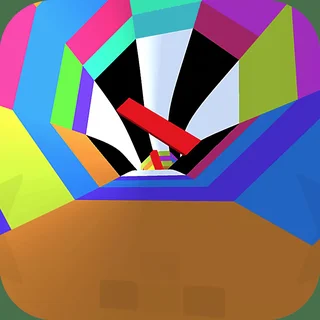
Run 2 is a fast-paced 3D platformer that sends you sprinting through floating tunnels suspended in deep space. Each stage challenges your reflexes with broken floors, sheer drops, and sudden turns that require quick thinking under pressure. Because every failure resets you instantly to the start of the level without load times, runs develop an addictive rhythm where muscle memory takes over.
While Clicker Heroes focuses on long-term idle progression and steady resource accumulation, Run 2 offers the exact opposite tempo: intense, hands-on focus where a split-second jump makes the difference between clearing a gap and tumbling into the cosmic void. It is a fantastic change of pace when you want immediate action while your idle upgrades tick away in the background.
The standout feature of the game is its gravity-shifting level design. Running into any adjacent wall rotates the entire stage ninety degrees, turning vertical walls into new pathways and revealing alternate routes through seemingly impossible gaps.
How to play
You steer your character using the Left and Right arrow keys or the A and D keys. Press the Up arrow, Spacebar, or W to jump over gaps. When playing on a touch screen device, simple tap and swipe gestures handle steering and leaping.
Before launching into a level, you choose between two distinct playable characters:
- The Runner: Fast, nimble, and direct. The Runner accelerates quickly and executes sharp, precise jumps that excel on narrow ledges with tight spacing.
- The Skater: Glides on a floating board with greater forward momentum. The Skater takes longer jumps and covers vast distances easily, making wide gaps simpler to cross at the expense of tight turning control.
Tips for mastering difficult levels
- Rotate early: Do not wait until you run out of floor to turn onto a wall. Look ahead at upcoming hazards and steer into side surfaces several tiles in advance to secure safe footing.
- Pick the right character for the stage: If a level features many small gaps and sharp corners, switch to the Runner. If a level is dominated by long chasms that require huge leap distance, pick the Skater.
- Feather your jumps: Tapping the jump key lightly produces a shorter hop, whereas holding it down gives you maximum hang time. Use short hops when landing on short platforms to prevent overshooting.
- Look for alternate paths: Many tunnels have multiple viable surfaces. If one path feels too risky or narrow, rotating to the opposite wall often reveals a wider, safer route.
Other games on Clicker Heroes
If you want a break from high-speed space running, Clicker Heroes offers hands-off incremental progression where your heroes level up and defeat monsters over time. Players looking for other fast-paced arcade challenges can jump into Smash It for satisfying destruction physics, or switch to Idle Breakout to combine brick-breaking action with automated upgrades.
Run 2 runs directly in any standard desktop, laptop, or mobile browser without extra downloads or plugins, making it easy to drop in for a five-minute session or tackle a lengthy campaign run.
Questions about Run 2
Is Run 2 unblocked at school?
Run 2 runs in an ordinary browser tab from clickerheroes.org, with nothing to download or install, so it plays on most school Chromebooks and work computers. If a network filter blocks the site, only that network's administrator can change it.
How do you control movement and jumping in Run 2?
Steer with the Left and Right arrow keys or A and D, and jump over gaps using Up, Space, or W. On touch screens, tap and swipe to move.
What is the difference between the Runner and Skater in Run 2?
The Runner provides sharp turns and controlled jumps for precision platforming, while the Skater carries higher speed and clears wider gaps.
How does the wall-running mechanic work in Run 2?
Steering into any side wall rotates the entire 3D tunnel, shifting gravity so that the wall becomes your new floor with a fresh set of paths.
Do you need to download or install anything to play Run 2?
No installation is required. Run 2 loads directly in modern web browsers across Chromebooks, laptops, desktops, and mobile devices for free.